How do I find suitable image data on the Internet?
Would you like to use a photograph or image from the Internet for your new wall mural at home? We have a guide for you here to help you find the image data you want quickly and in a sufficiently high resolution. How to find suitable image data on the Internet for your new picture.
There are many ways to search for images or image data - the most important first.
It is important that the image data has sufficient pixels, i.e. a sufficiently high resolution.
The following applies here: Printing large images requires more pixels than printing small images.
Brief explanation of the resolution:
For a picture with a final format of 80 x 80 cm, you need approx. 2400 pixels x 2400 pixels for an attractive quality print.
As a rule of thumb:
72 dpi resp. (72: 2.54) 30 dpc = 30 dots/cm
i.e. for 80 cm à 80 cm x 30 pixels/cm= 2400 pixels
This means you can always divide the number of pixels by 30 and thus know the maximum size you can have your image printed. You can also read our article on this under /en/blog/how-big-can-I-print-my-photo or /en/blog/comparison-of-different-solutions
Table of contents
- OpenSource image search (mostly free of charge)
- Image search with Google
- Professional picture agencies
- Further addresses with references
1. open source image search (mostly free of charge)
Here are some good addresses for image search general with some tips & tricks -
The resolution should always be taken into account.
Here are some of our favourites:
2. image search with Google
If you search on Google, the sizes (after any image cropping) must be taken into account
Some people are familiar with the option of using Google to search for images - with a bit of luck you can find almost any image.
In many cases, however, the resolution is not sufficient. Images for the web require far fewer pixels as they are much smaller in the majority of cases.
However, there are setting options so that only images with a certain resolution (or number of pixels) are displayed.
Here is a brief explanation:
------------
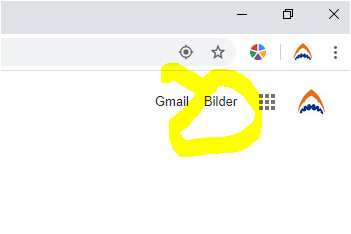
With the Google window open, select images in the top right-hand corner.
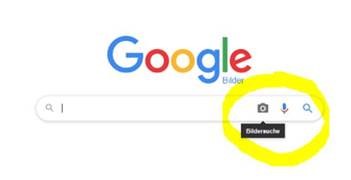
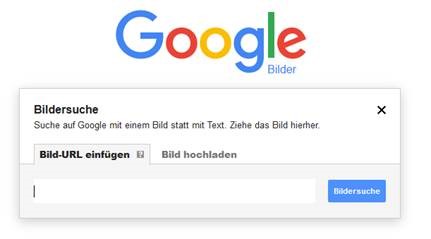
Then enter the search term or continue with Upload image or
Search for similar or identical images on a website
there is also a "Advanced search" - with numerous possibilities
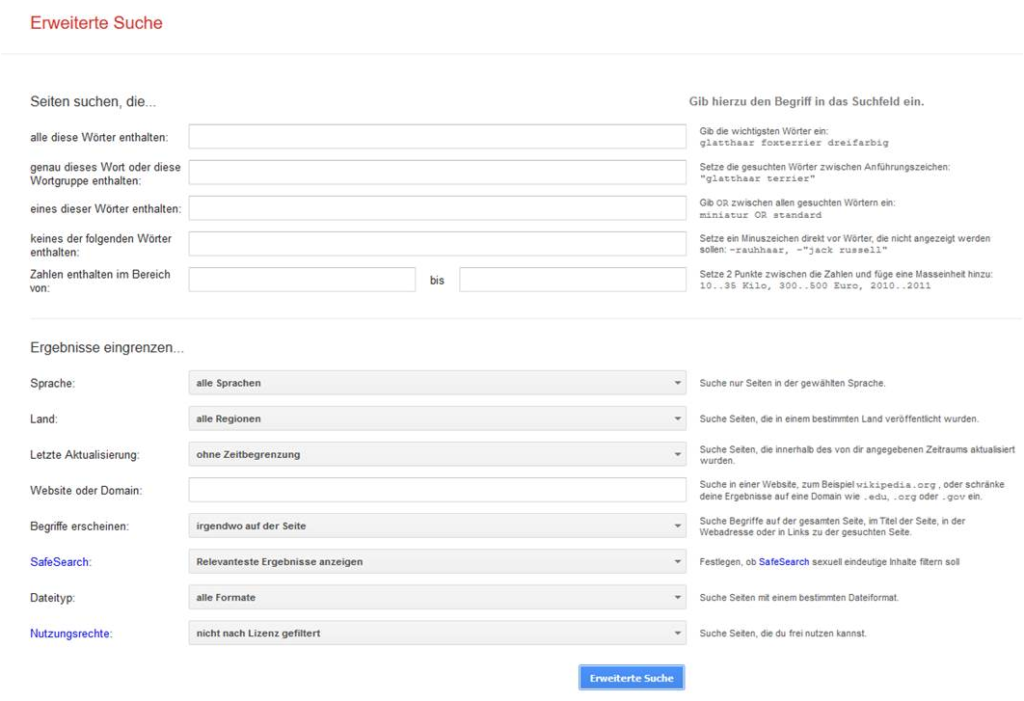
It's definitely worth looking into the Google image search -
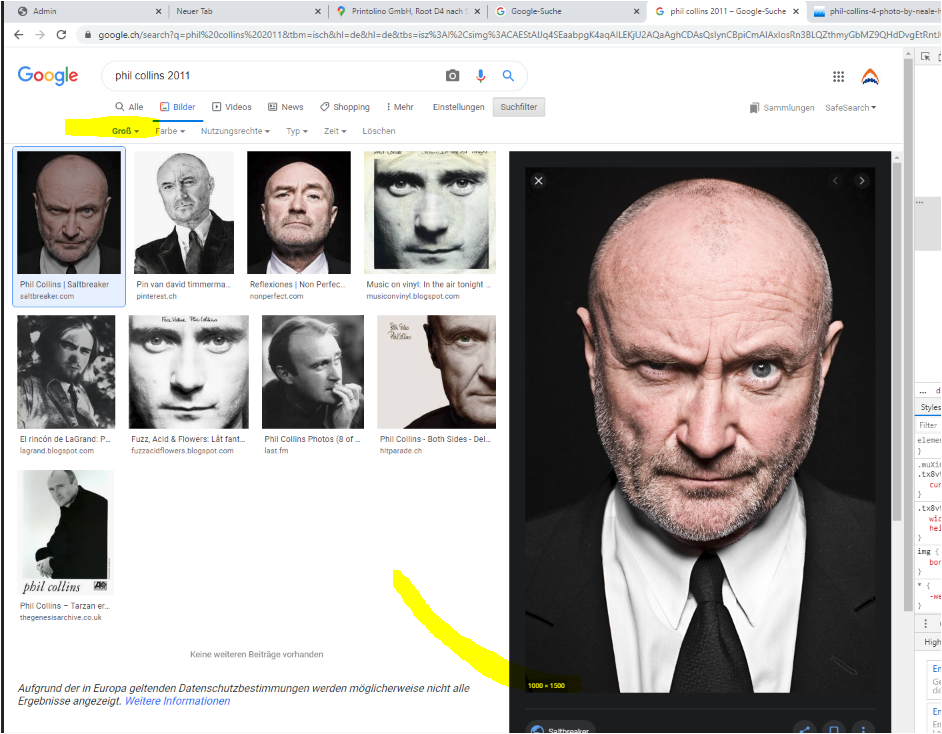
This works with the following settings (set to large at the top left)

Move the cursor to the large image display at the bottom right and check the resolution (1000 x 1500 in the example below), i.e. still too small for a large image.
3. professional picture agencies
Here are a few favourites:
4. further addresses
Here is a website with good lists - if you "google" yourself you will certainly find more
https://www.designerinaction.de/design-resources/bildagenturen/?order=klicks
Below are some alternatives, which may no longer all be up to date and which I consider to be less good.
Depending on the desired theme, you are sure to find suitable subjects - with a bit of luck even exactly that
Image you are looking for:
We hope we have been able to help you with our instructions.
If you have any further questions or suggestions, please call us on 041 541 92 92 or send us an e-mail at info@printolino.ch